 Chalkline
Free · Works offline · No account
A whiteboard that understands the maths you write on it.
Chalkline is a touch-first desktop board for teachers. Draw a curve and get its graph. Write an equation and get the steps. Cut a solid and read off the area of the section. No account, no cloud, no tracking.
Version 2.0.0 · Windows 10 or later, or Linux · about 70–80 MBIllustration of a board — the graph, tangent and integral are all live objects in the app.
Screenshots
The real thing, not a mock-up
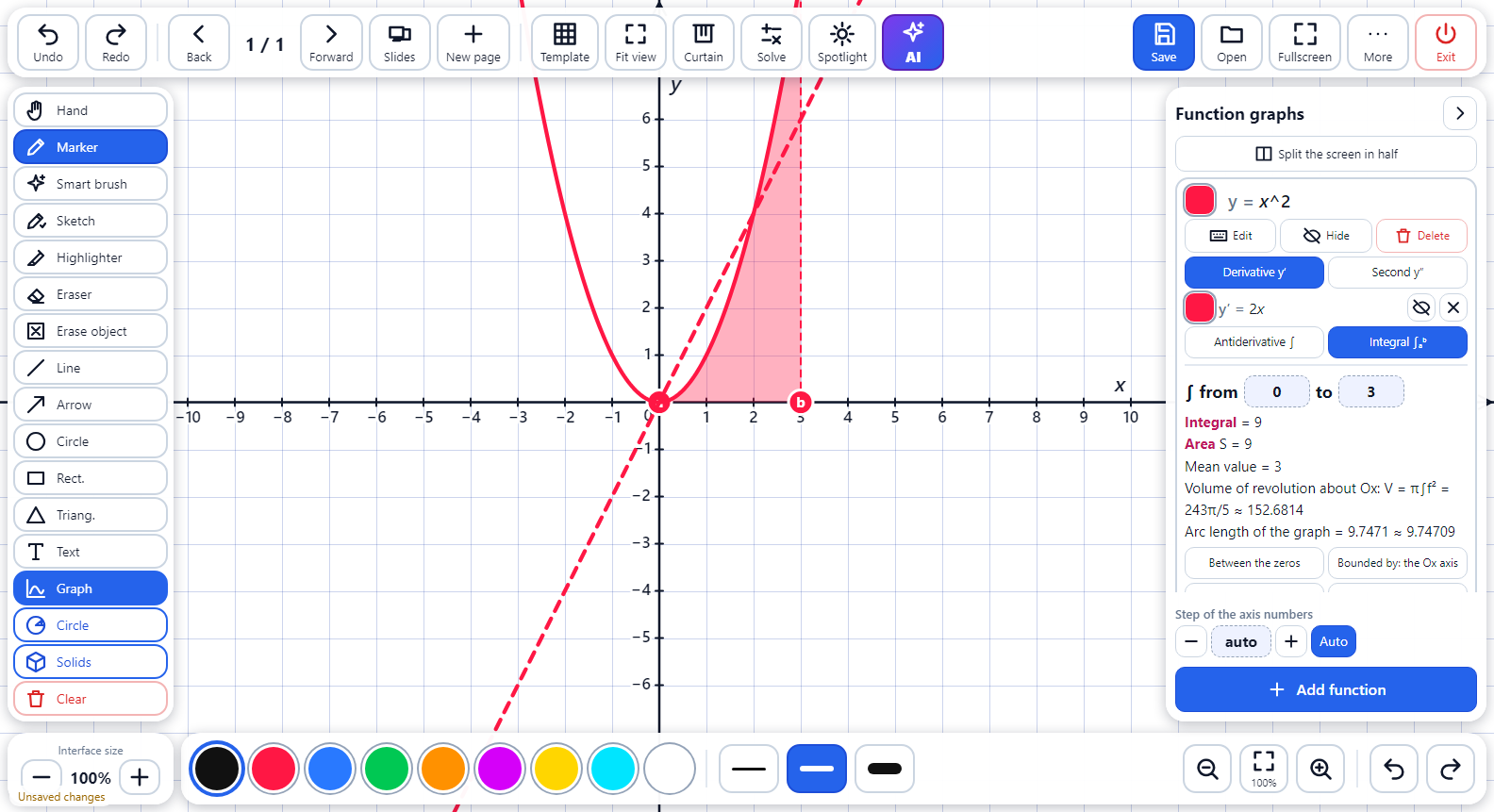
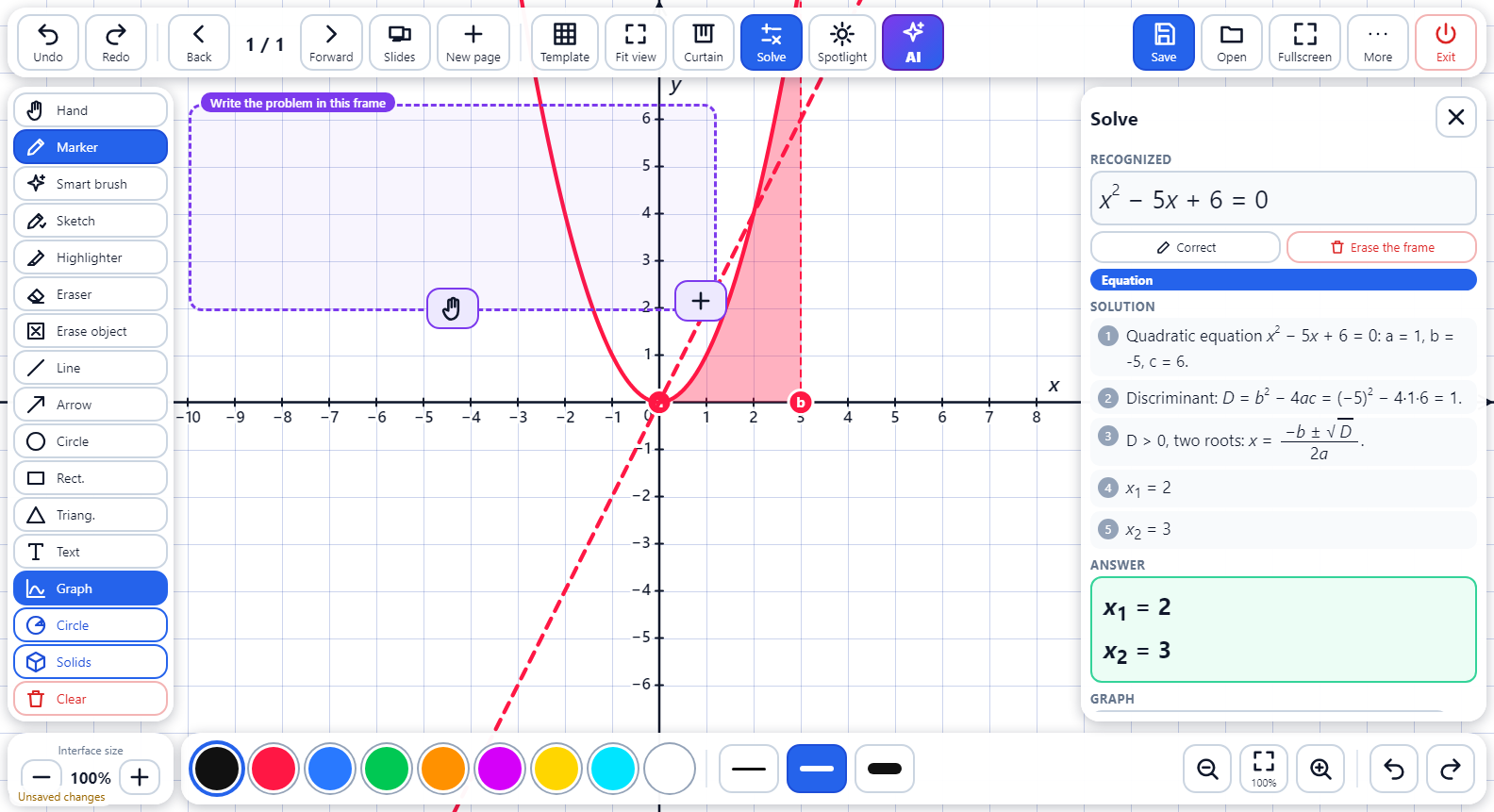
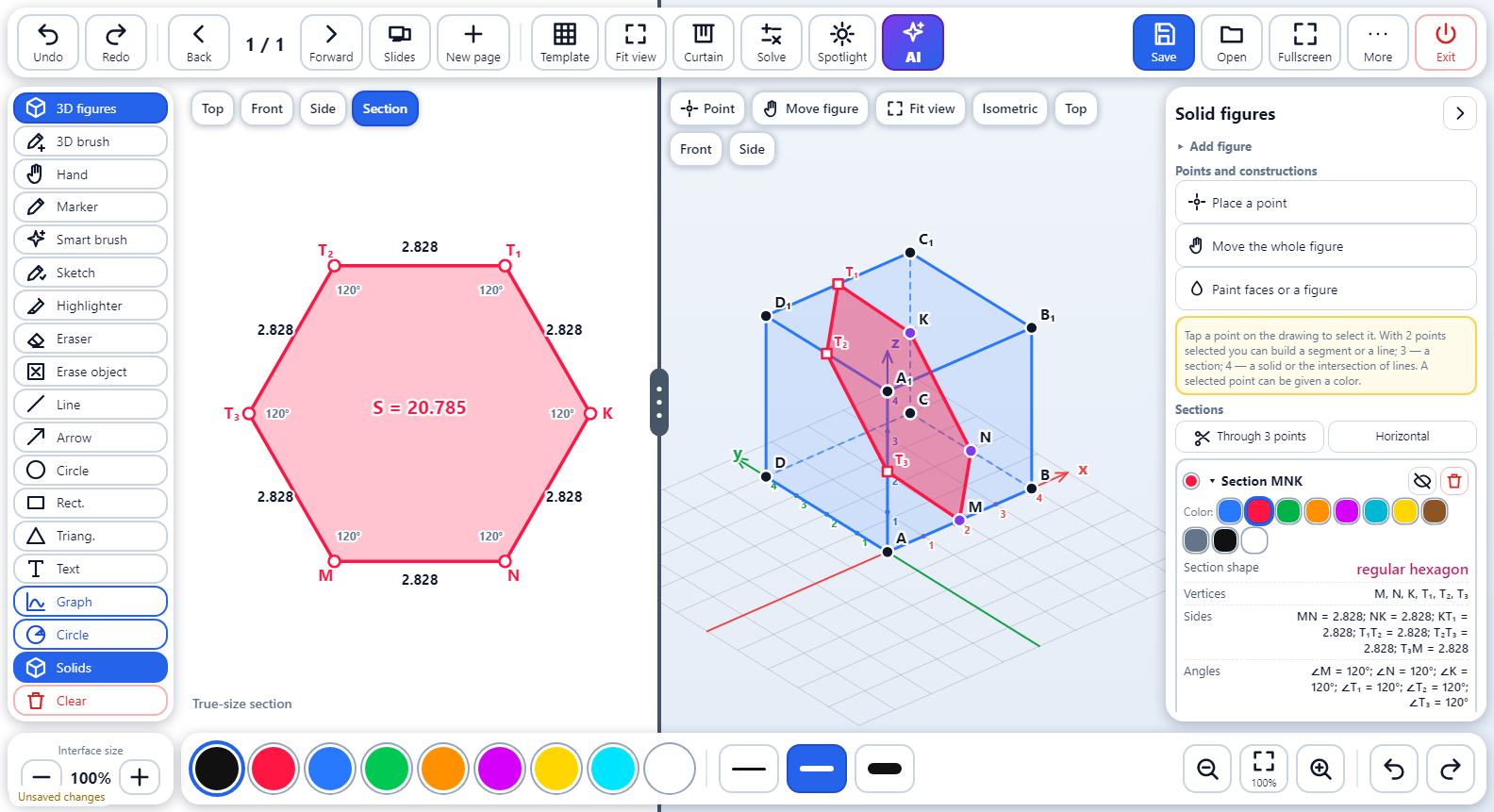
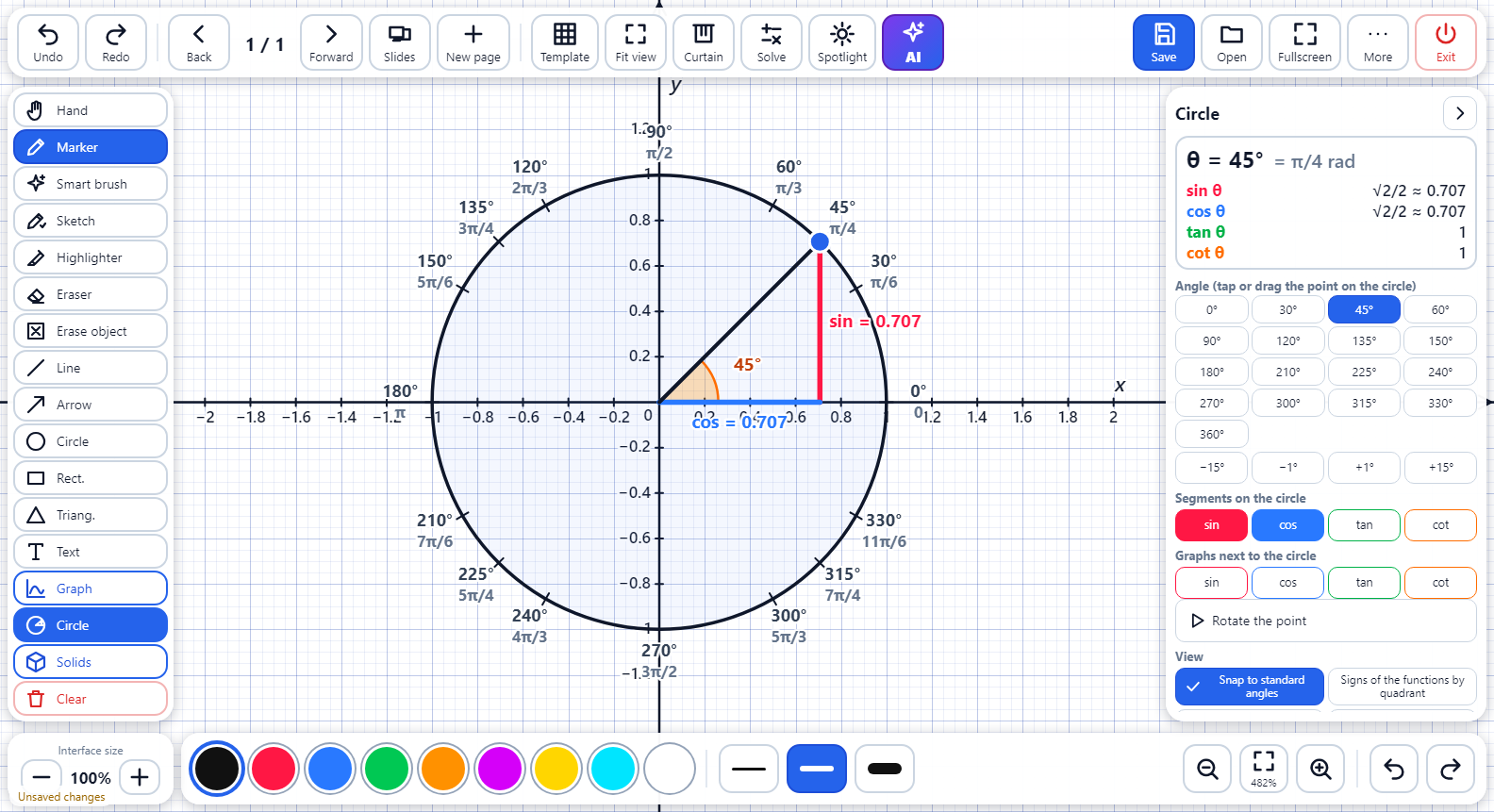
Unedited captures of Chalkline 2.0.0 running on Windows.
In the lesson
Built around what a maths lesson actually needs
General-purpose whiteboards give you a pen. Chalkline gives you a pen that knows what a parabola is.
Graphs you can reach into
Type or sketch a function, add sliders for its coefficients and drag them while the class watches the curve respond. Shade a definite integral, move its limits, rotate it into a solid of revolution.
- Any number of functions, derivatives and antiderivatives
- Full function analysis: roots, extrema, asymptotes
- Trigonometric circle and split-screen graphs
Solid geometry, with real sections
Nineteen solids, points on edges and faces, sections through three points, and the true-size view of the cut. Areas, perimeters, angles and the volumes of both parts come with it.
- Rotate the figure and draw on it with the 3D brush
- Draw a rough cube freehand — Chalkline turns it into an exact one
Write it by hand, get the steps
Frame an expression, equation, inequality or system on the board. Chalkline reads your handwriting — calibrated to yours — and shows a step-by-step solution you can walk through with the class.
- Per-teacher handwriting calibration
- Solutions and graphs from the same frame
Boards for every subject
Mathematics today. The rest of the timetable next.
Chalkline is growing into a set of subject boards that share one fast, offline core. Maths is ready; five more are announced and not released yet.
Made for real classrooms
Old PCs, no wifi, a bell in four minutes
Chalkline starts in about a second and runs on a 2015-era school PC. It has a 32-bit build for the machines that cannot run anything newer. Boards autosave atomically, keep rolling backups, and deleted boards go to a trash folder before they are really gone.
Everything is stored as plain files in your Documents folder. Nothing leaves the computer unless you switch on the optional AI assistant — and then only what you ask it.
Put it on the classroom PC today.
Free for teachers and schools. Download the installer, or the portable version that runs from a USB stick.